New message appeared on our Office 365 Tenant with new feature SmartFilters in SharePoint Online coming our way.
SmartFilters for SharePoint Online is a new Office 365 feature. First Release tenants will start seeing this feature beginning today and rolling out over the coming weeks, followed by worldwide rollout expected by the end of January, 2017.
How does this affect me?
SmartFilter is an easier and faster way to find items within a list or library. This feature will improve column filtering workflows within lists and document libraries by allowing users to easily set multiple filters at once. To access this feature, a user can select the filter icon on the top right of a list or library and open the Smartfilter panel.
What do I need to do to prepare for this change?
You don’t need to do anything. Please click Additional Information to learn more.
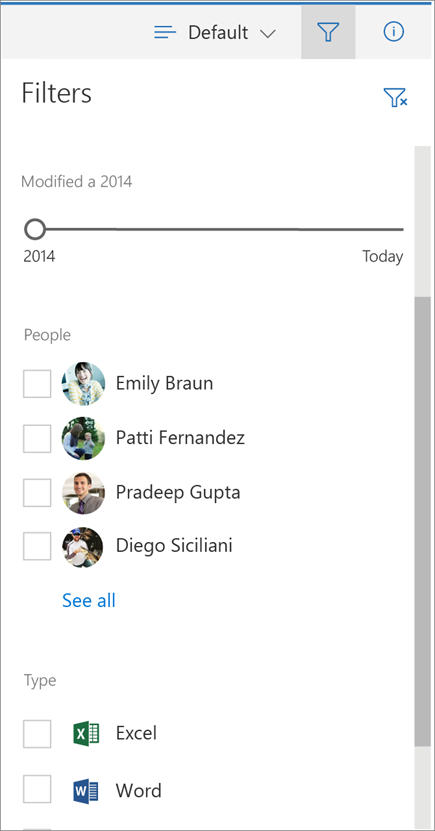
Image source: https://support.office.com/en-gb/article/Use-smart-filters-to-find-your-file-or-list-item-293561ed-fb2e-4fb2-9a9f-8a21e299e323

 Chirag Patel
Leave a comment