Today, on our Office 365 tenant, new office 365 app launcher (or waffle menu) appeared!
This new look and feel of office 365 app launcher was only announced last week and looks neat just like Windows 10 start menu.
As before, you can drag and drop your apps in the home tab, pin the app to your suite bar at the top of the page as well as resizing your app icon size.
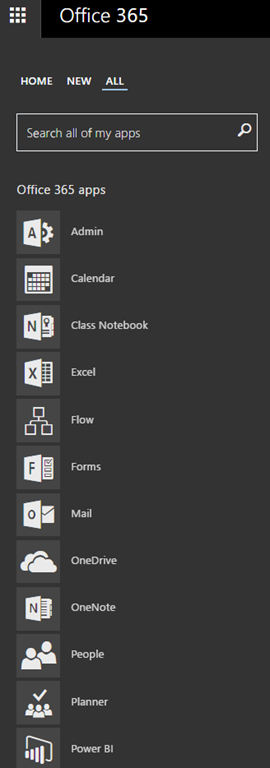
The new app launcher now consists of tabs (“Home”, “New” and “All”).
- Hovering on apps will light up the icons to their original colour
- As new services or applications are launched including from your organisation they will appear in the “new” tab
- Within the “All” tab, you are able to search your apps
- Subject to your choice of colour theme, the menu colour scheme reflects as well.
 |
 |
The following screenshots enable you to resize your apps and open your app in new tab of your browser.
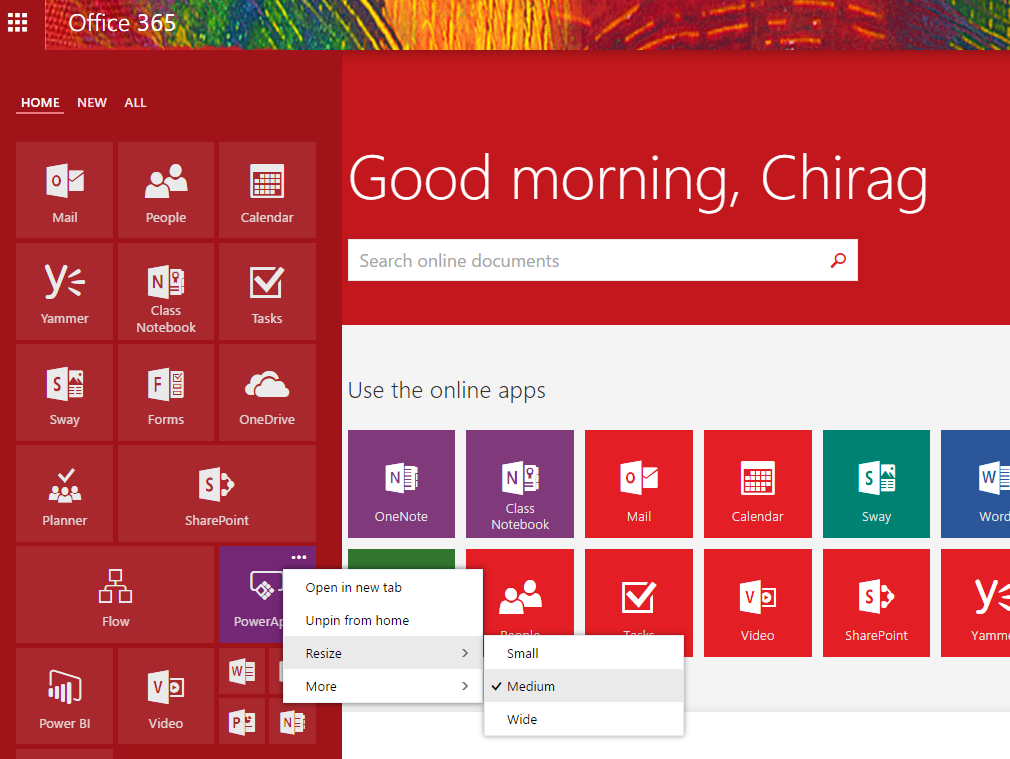
Access more details of the app and pin to the navigation suite bar.


Leave a Reply