As Power BI is maturing for organisations using Office 365, the responsibility to monitor usage and administer Power BI was in the hands of Office 365 Global Administrator until now. Power BI team have now introduced the Power BI Service Administrator role, enabling a user to access Power BI administration portal for flexible governance without the need to have access to entire Office 365 admin centre.
For now you can assign the Power BI Service Administrator role through PowerShell using the command below. To run the PowerShell command, you must have the Azure Active Directory PowerShell Module installed, which you can download here.
Add-MsolRoleMember -RoleMemberEmailAddress “<your user email address>” -RoleName “Power BI Service Administrator”
The alternative method via Office 365 Admin Centre will be available by the end of the year.
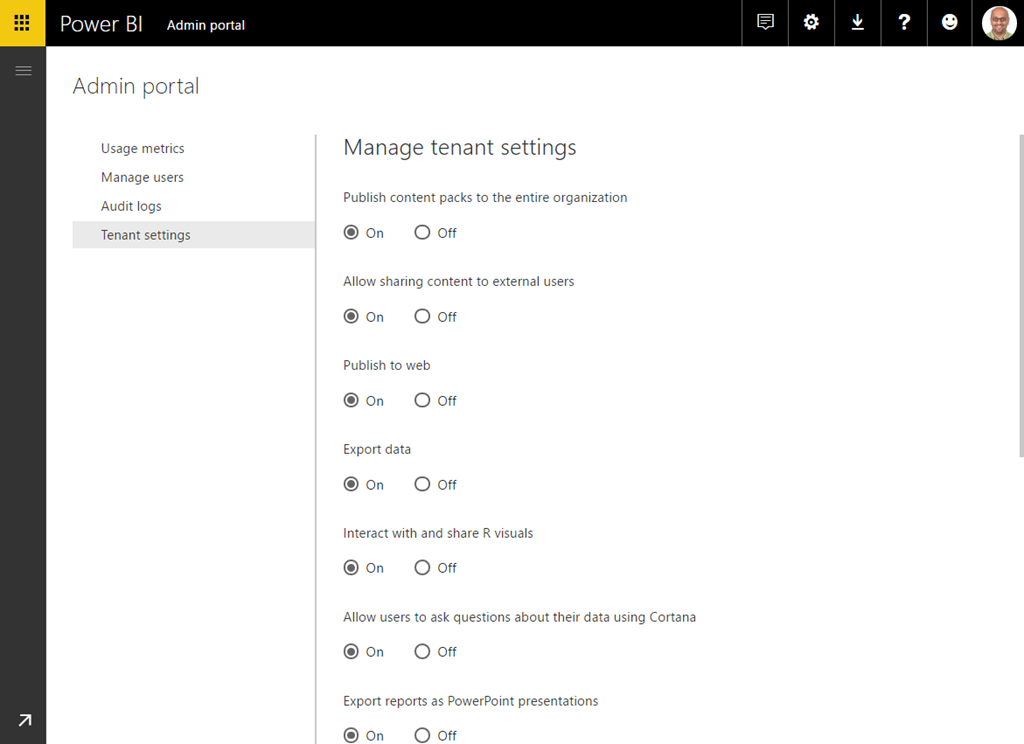
Below are couple of screenshots of Power BI admin portal settings and reports If you are not aware of them.


 Chirag Patel
Leave a comment